ReadEase - Thư Âm (Free for noncommercial use)
A macOS app for reading, translating and listening to EPUB, PDF, Word and other text documents, with Vietnamese and English voices on your Mac.
Contents
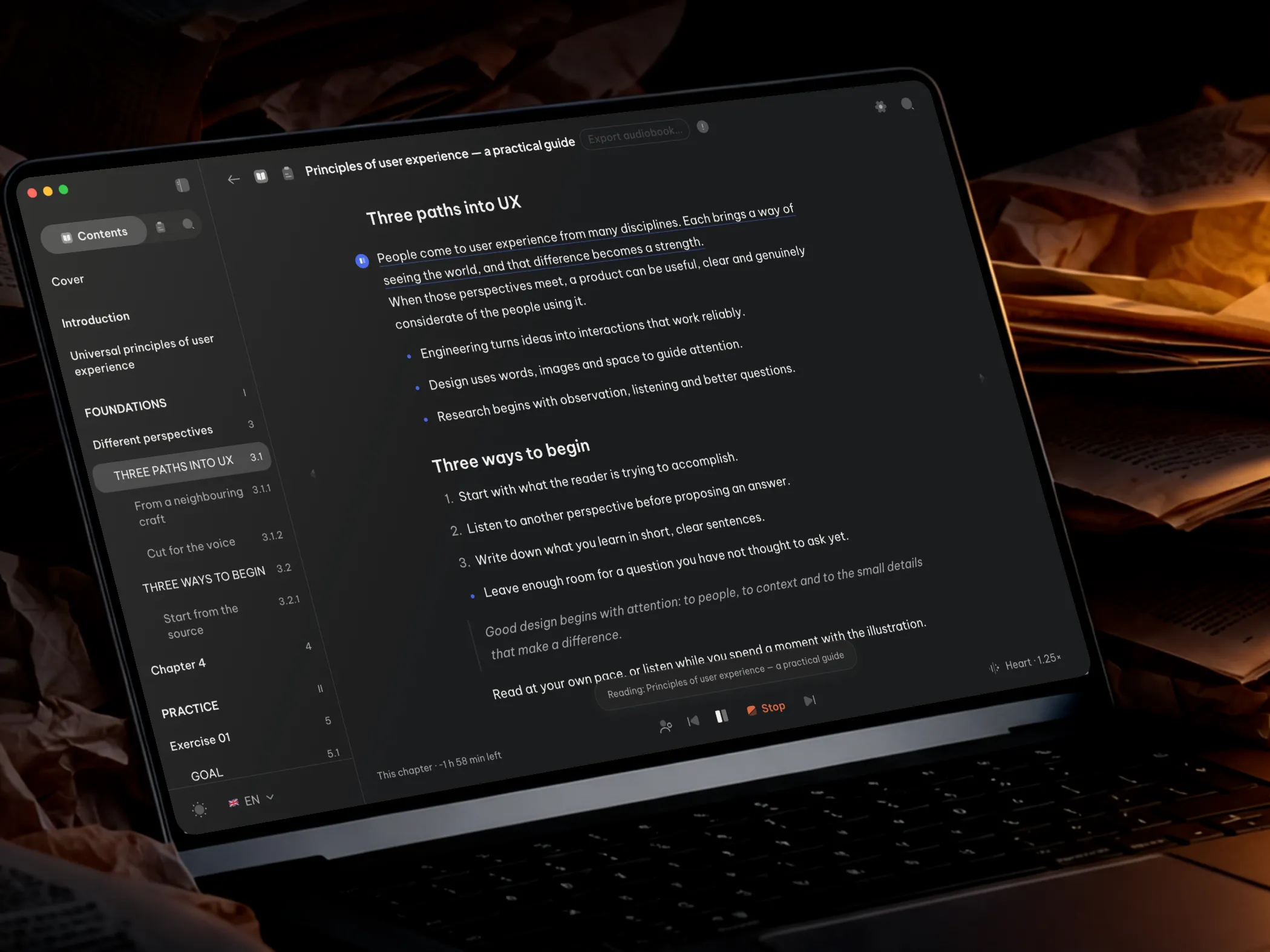
ReadEase - Thư Âm is a macOS app that lets you move between reading and listening. Open a book or document, paste a passage, or listen to text selected in another app, with optional translation before playback. This article starts with a tour of the interface, then explains how the app works, where it is heading and the technology behind it.
ReadEase is free for noncommercial use, with its source code available on GitHub under the PolyForm Noncommercial 1.0.0 license. Books, reading progress and on-device voices are handled locally by default. You can also choose OpenAI or ElevenLabs voices using your own API key.
The interface at a glance
Scroll sideways to explore the library, reader and key features. After the last slide, or by choosing Read the logic, continue below to learn how the app works and why it is built this way.
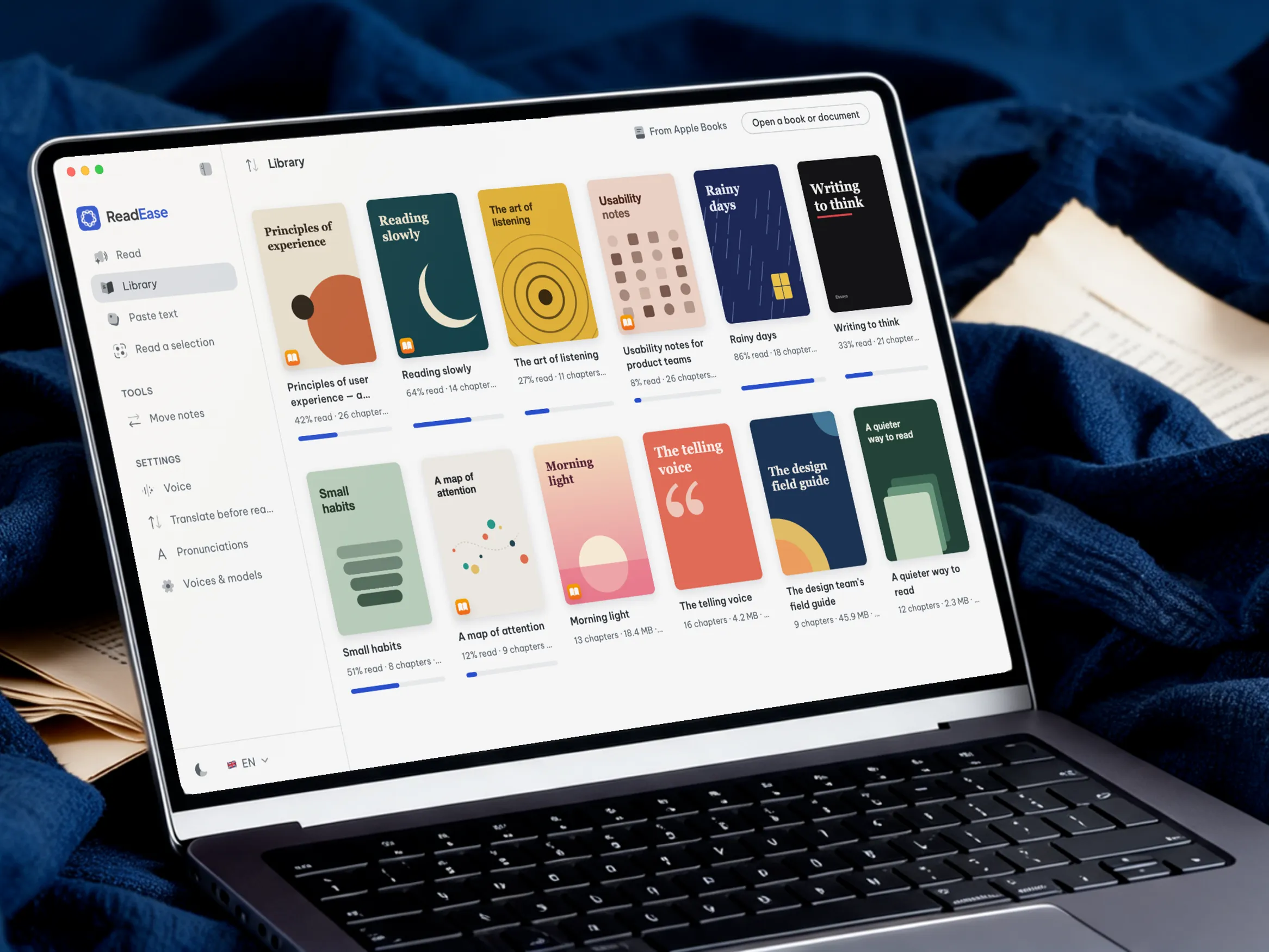
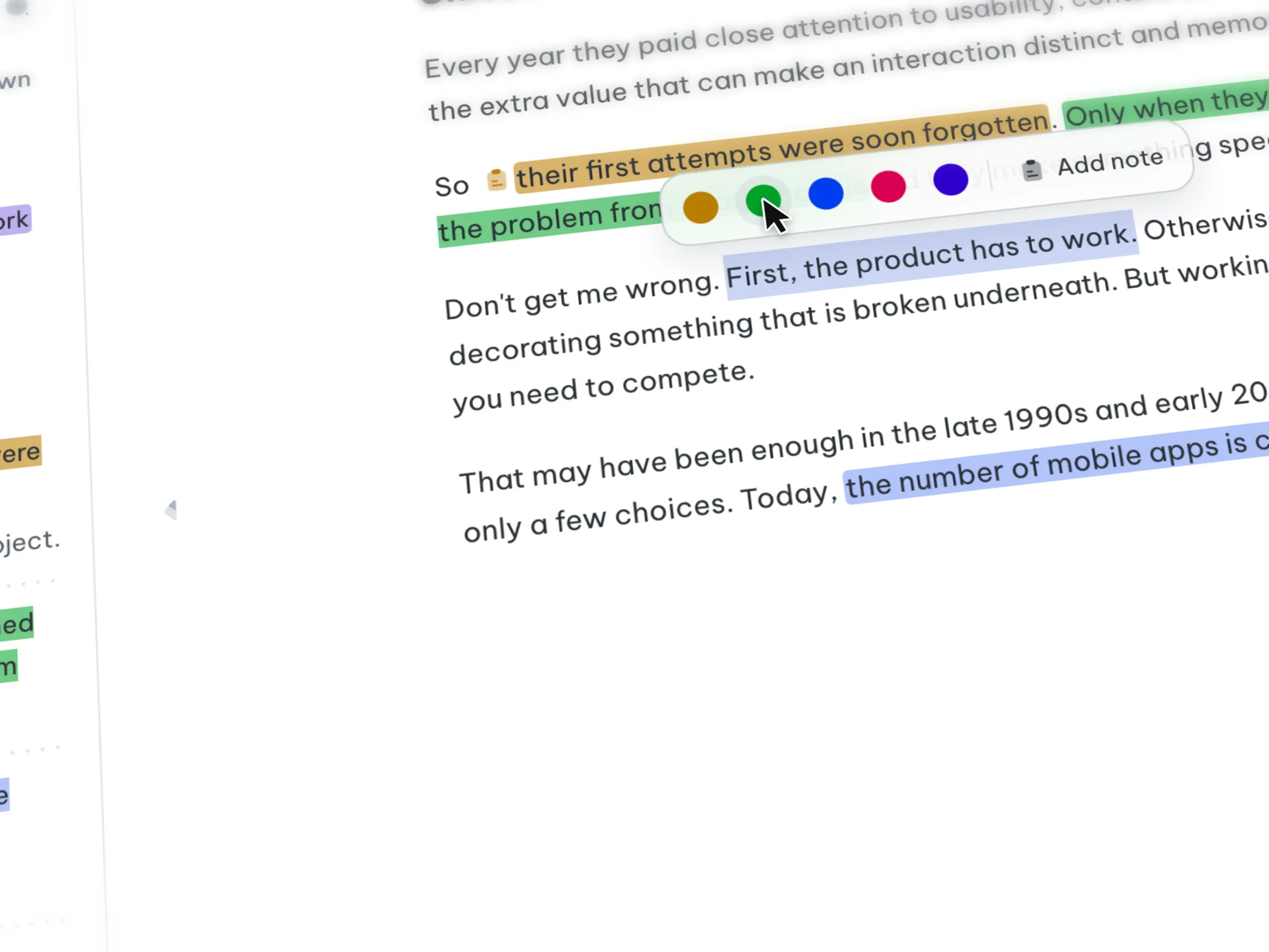
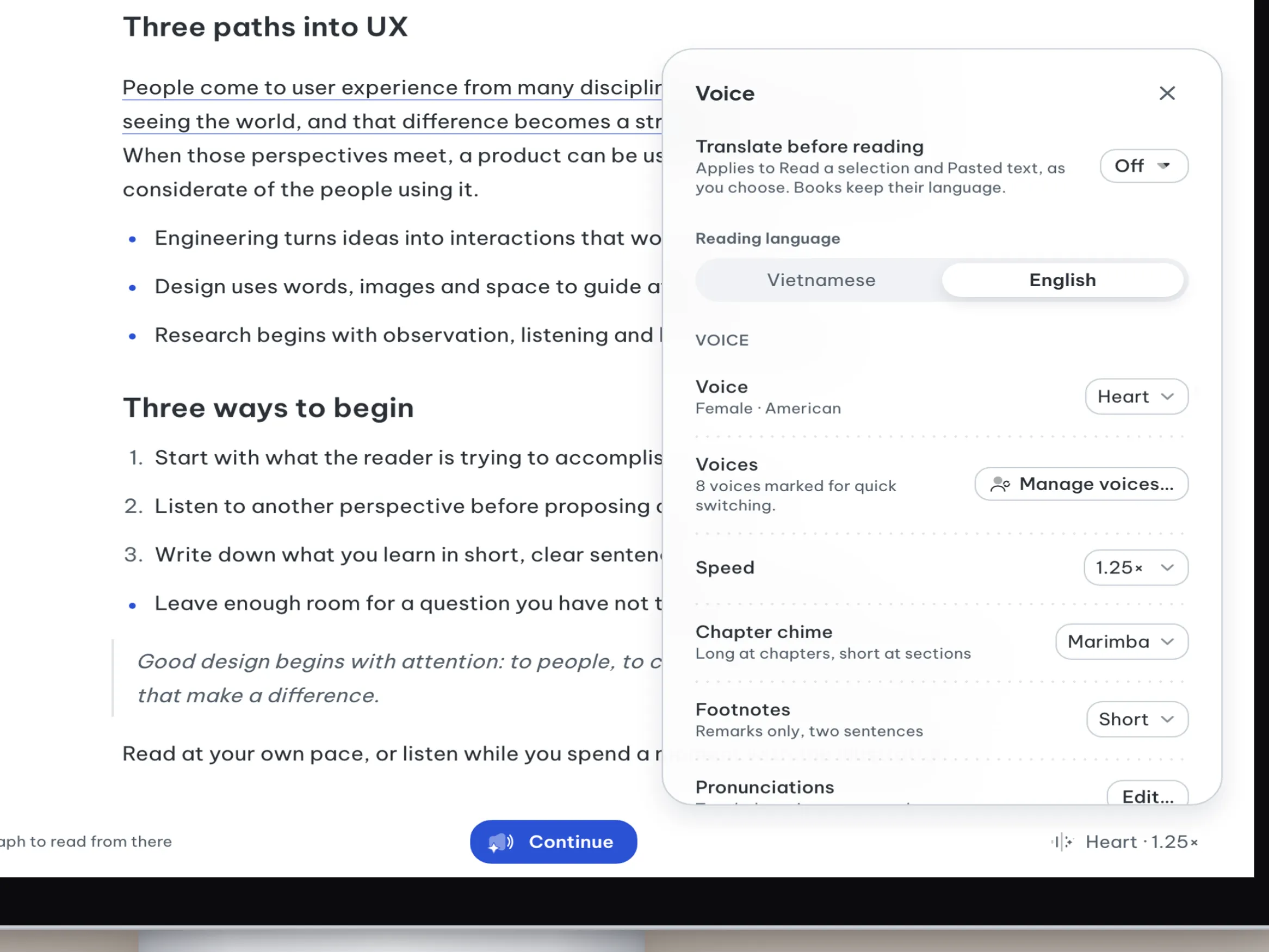
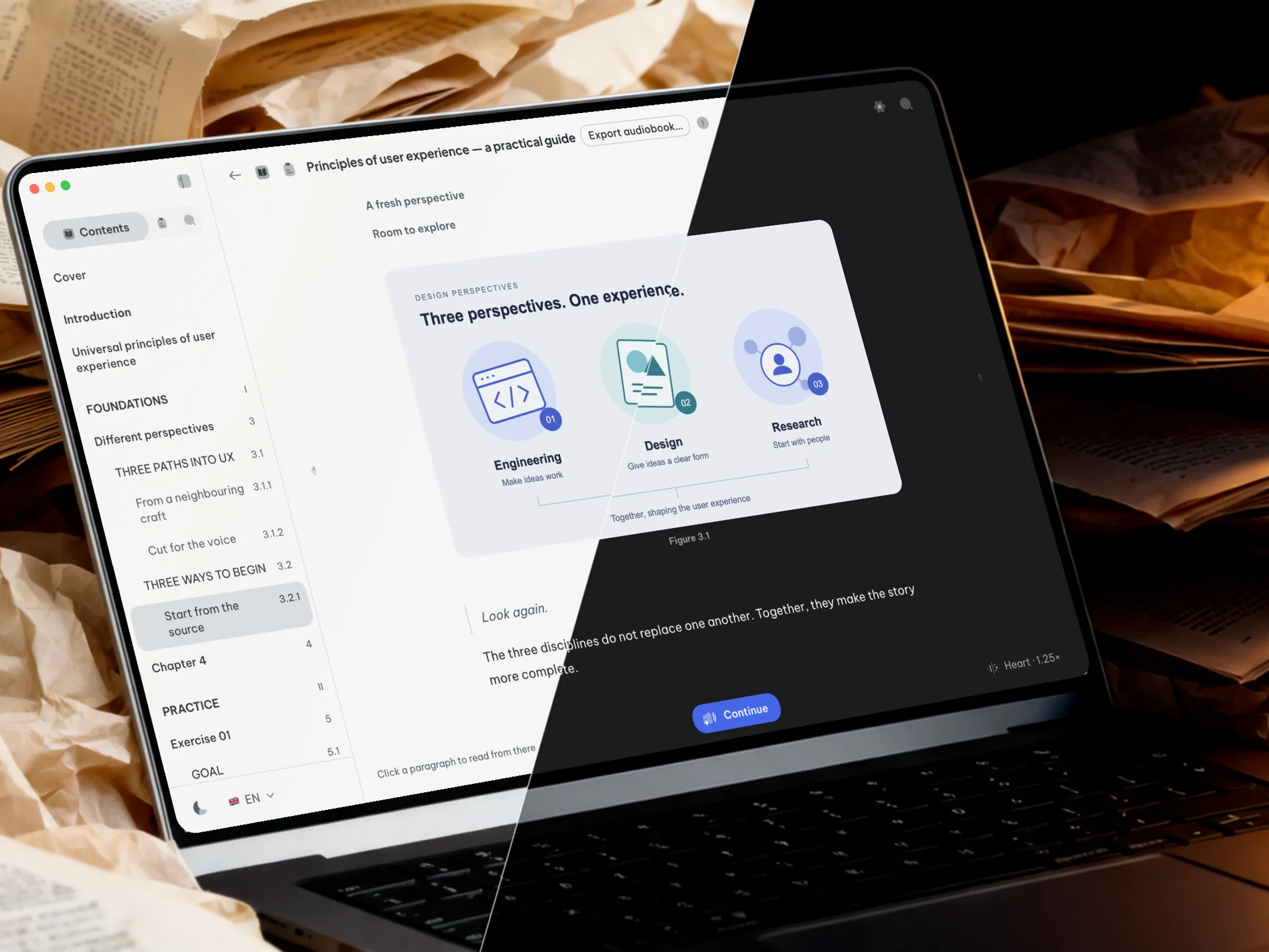
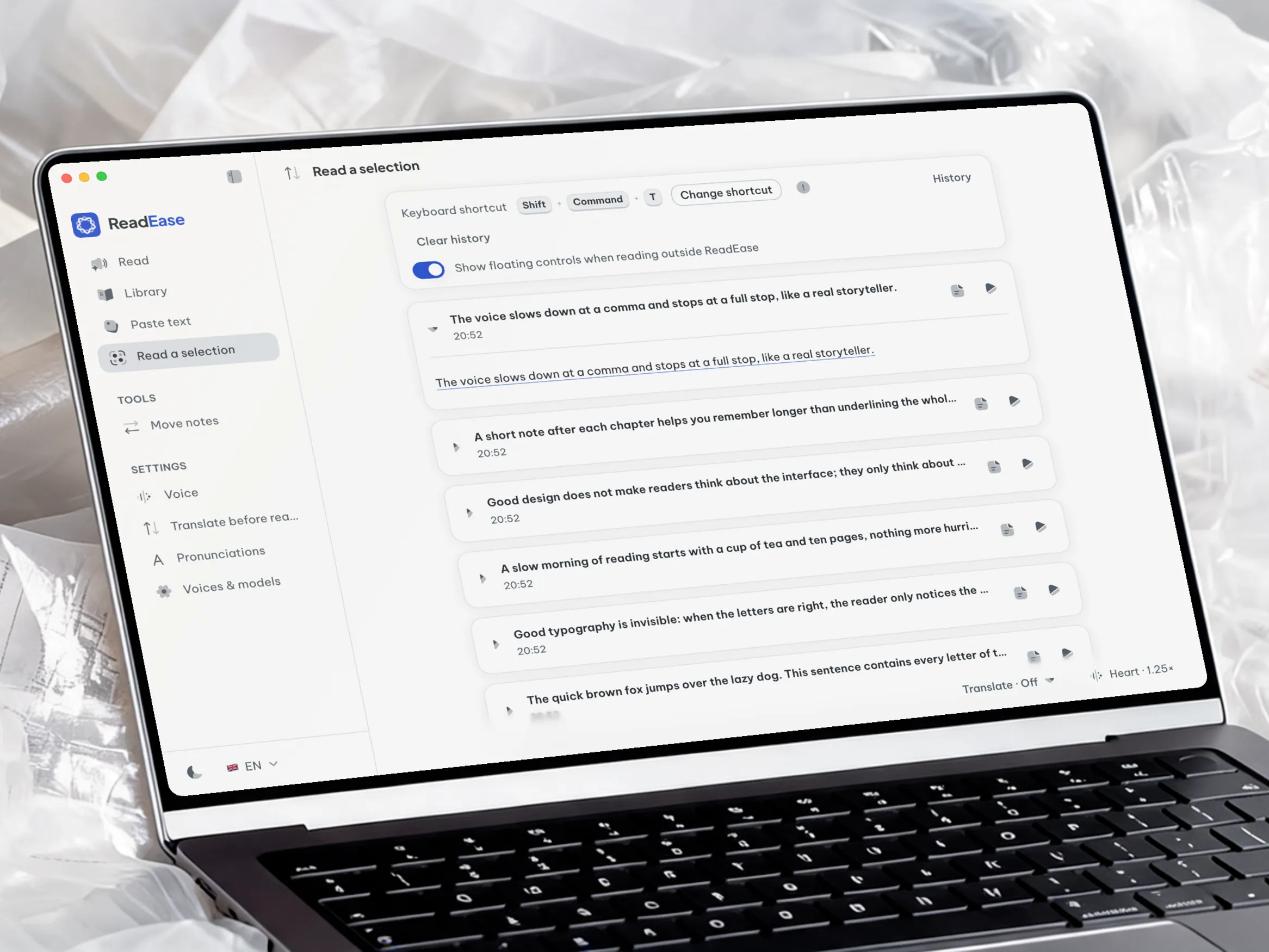
The next sections explain the shared reading flow, the product direction and the technology that supports them.
The overall logic: one reading path for every source of text
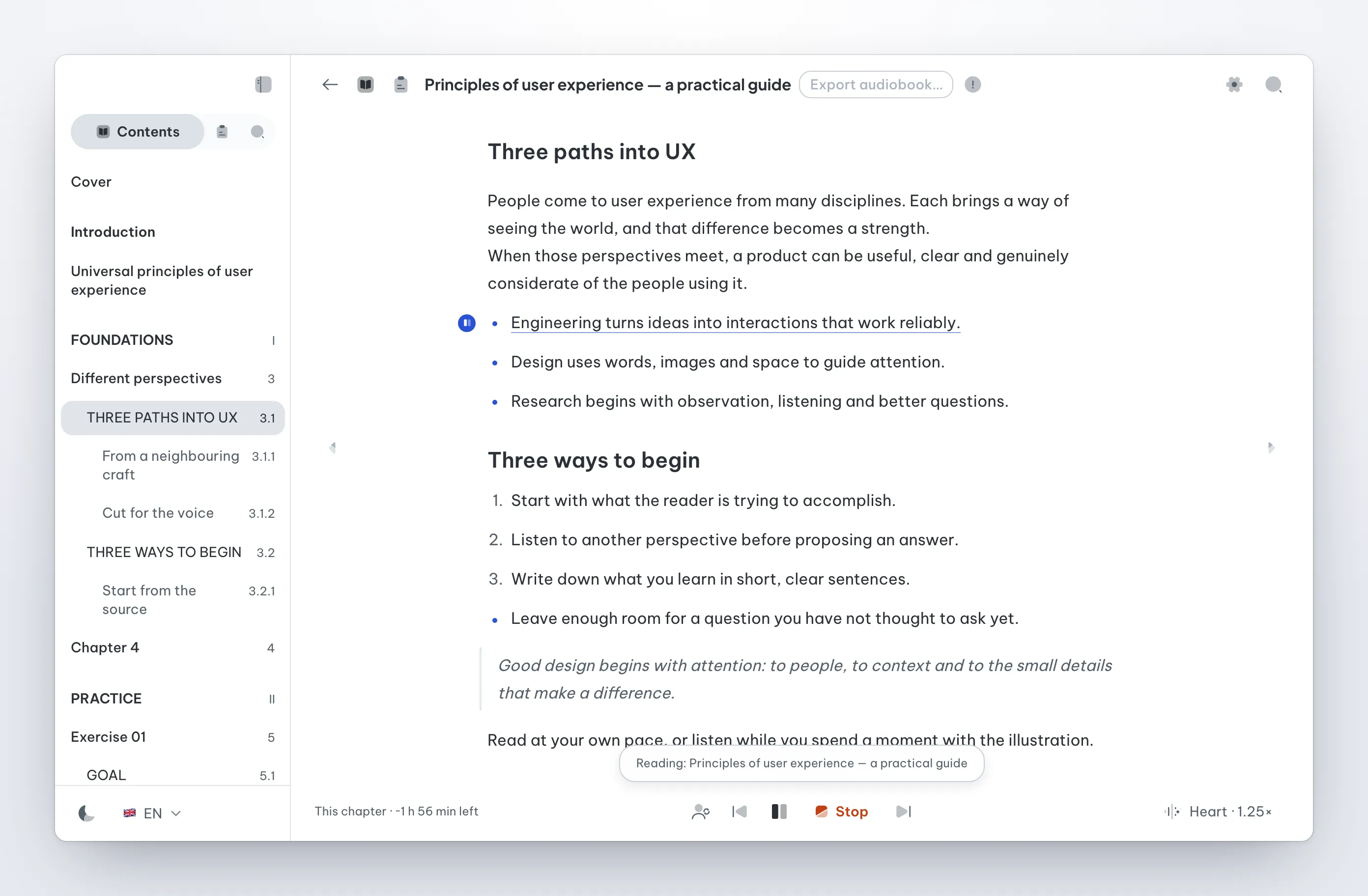
ReadEase is for moments when your eyes need a rest but you want to keep going with a document. Text comes from three places: a book in the library, a pasted passage or a selection in another app. Each follows the same path: optional translation, sentence preparation, speech generation and playback. The interface marks the sentence you are hearing, and every source uses the same playback controls.
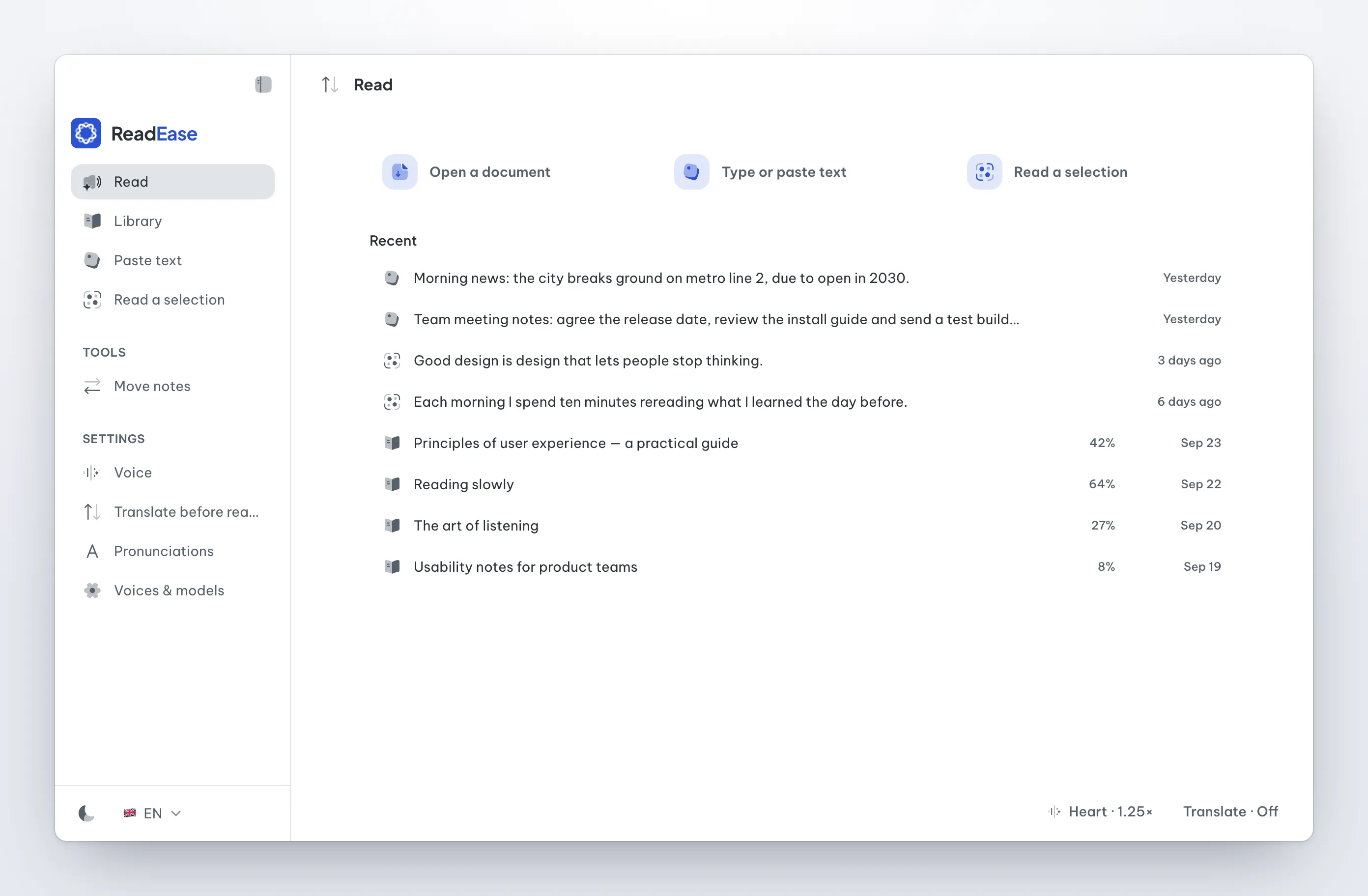
Three principles keep that path trustworthy:
-
Progress follows what you hear. ReadEase saves the sentence you actually heard, rather than the audio it has prepared ahead. Open the book again to return to where you stopped listening.
-
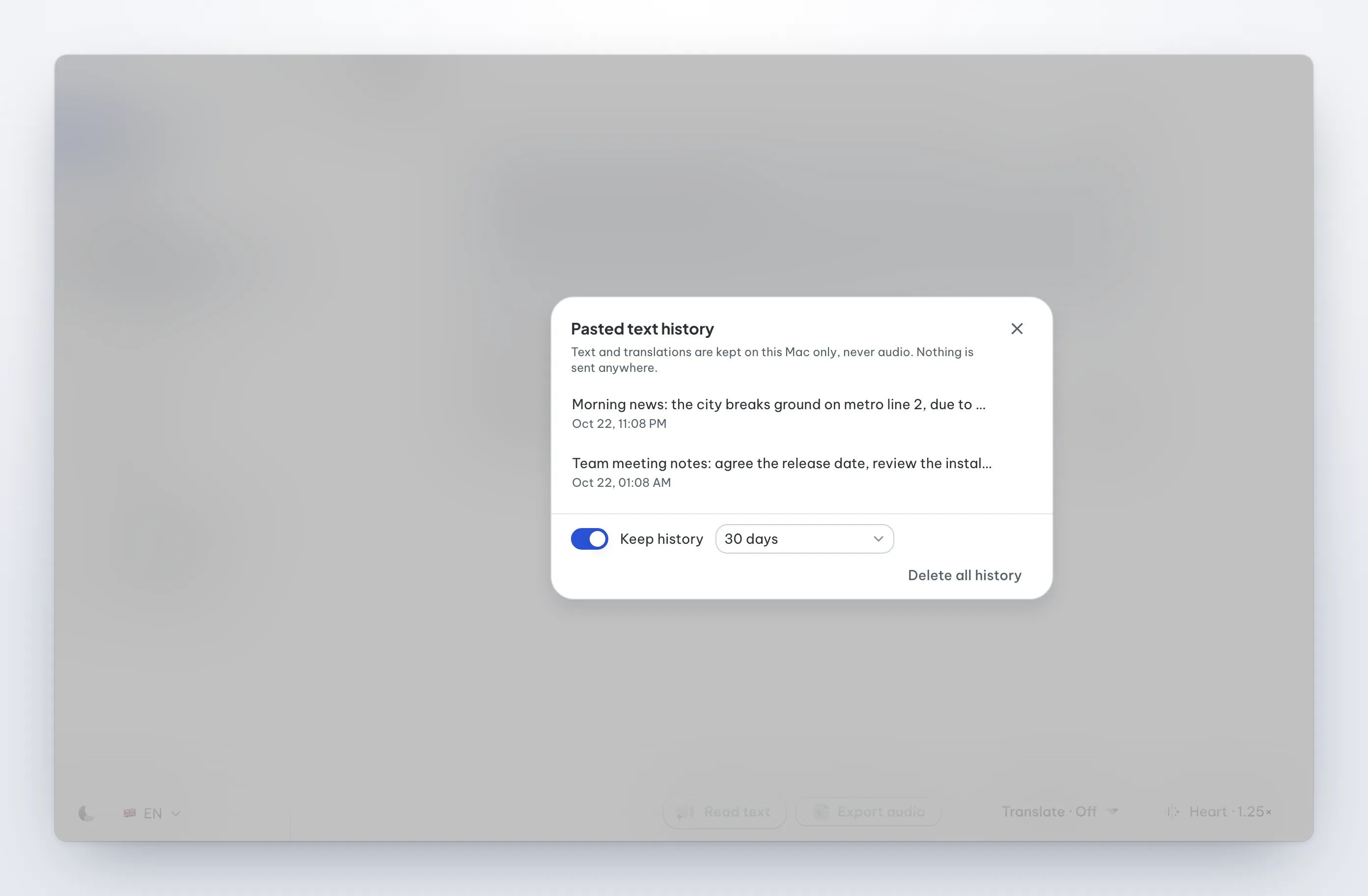
Pasted and selected text stay separate. These passages do not enter the library or change a book’s progress. Their local history stores text and translations, not audio. Keep entries for 7, 30, 90 or 365 days, or until you delete them; you can also delete individual entries or turn off history.
-
When reading cannot start, the reason is clear. An unreadable file, missing API key or session budget limit produces an explanation. The app does not silently switch voices. A language mismatch prompts a suggestion, while the final voice choice stays yours.
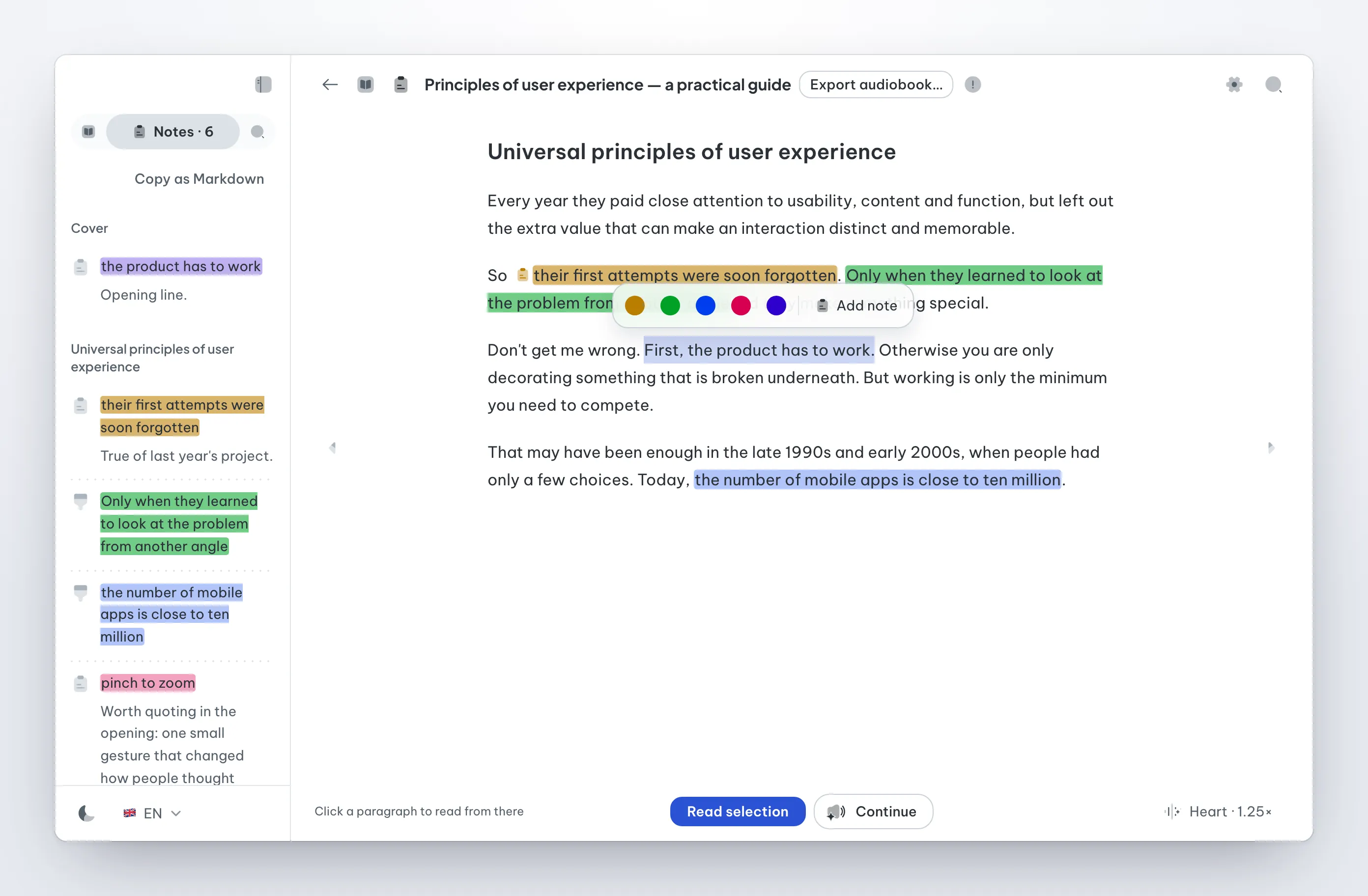
Annotations receive the same care. Highlights imported from Apple Books retain their colours. You can recolour highlights created in ReadEase and copy a book’s notes as Markdown. When copying notes between two editions of the same book in Apple Books, ReadEase previews the changes, copies only notes in chapters with identical content and backs up the data before writing.
Where it is heading: read, listen, translate and keep
ReadEase is built around a reader that runs on your Mac, without an account, a ReadEase cloud server or usage tracking. Its features support the ways people work with documents:
-
Read more document formats. Alongside EPUB and PDFs with a text layer, ReadEase opens Word, RTF, ODT, Markdown, HTML and TXT as books.
-
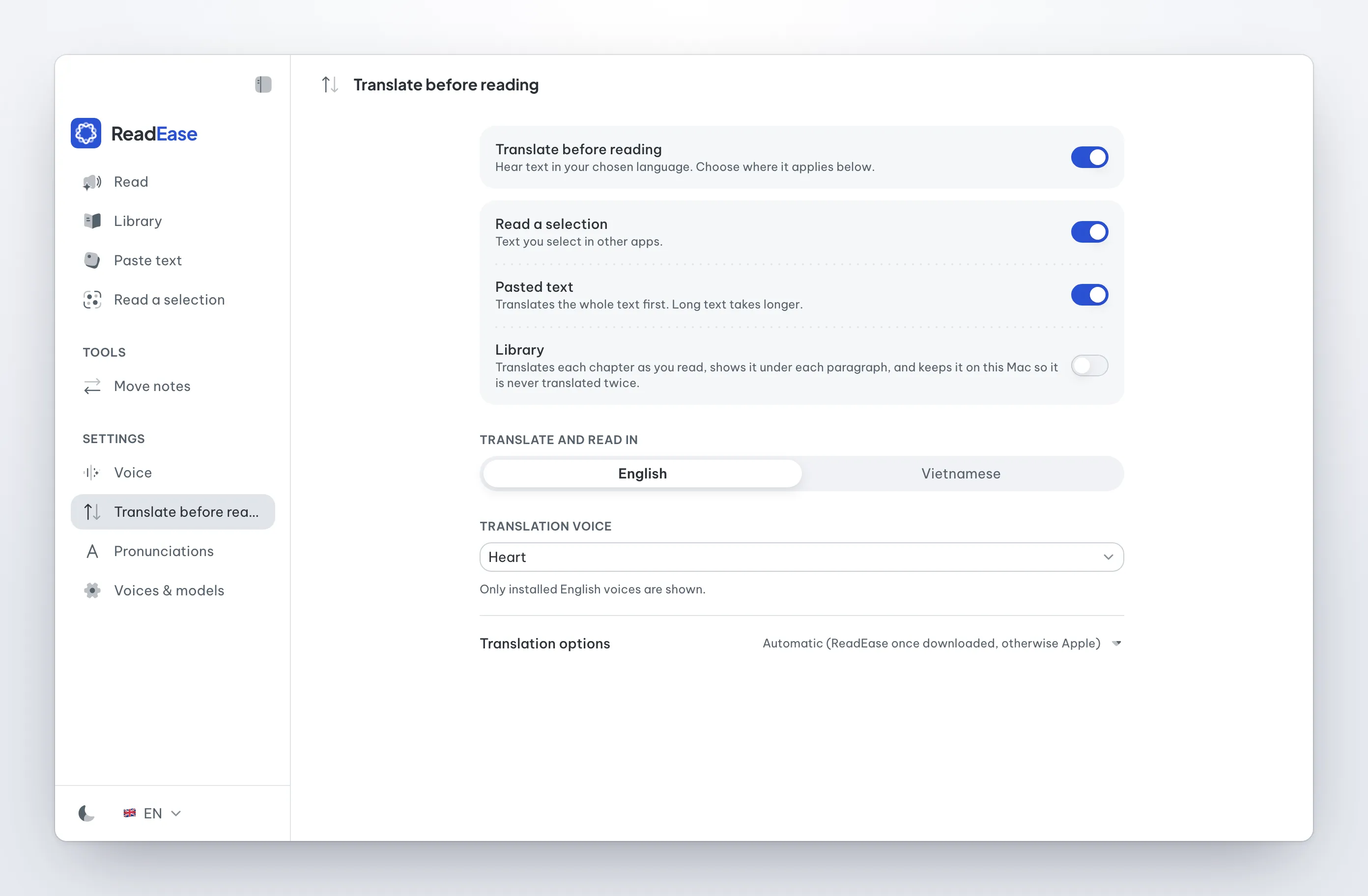
Listen in your chosen language. Translate pasted text or a selection from another app, then listen with a voice for the target language. For library books, ReadEase prepares translations as you read, saves them locally and displays each translation beneath its original paragraph.
-
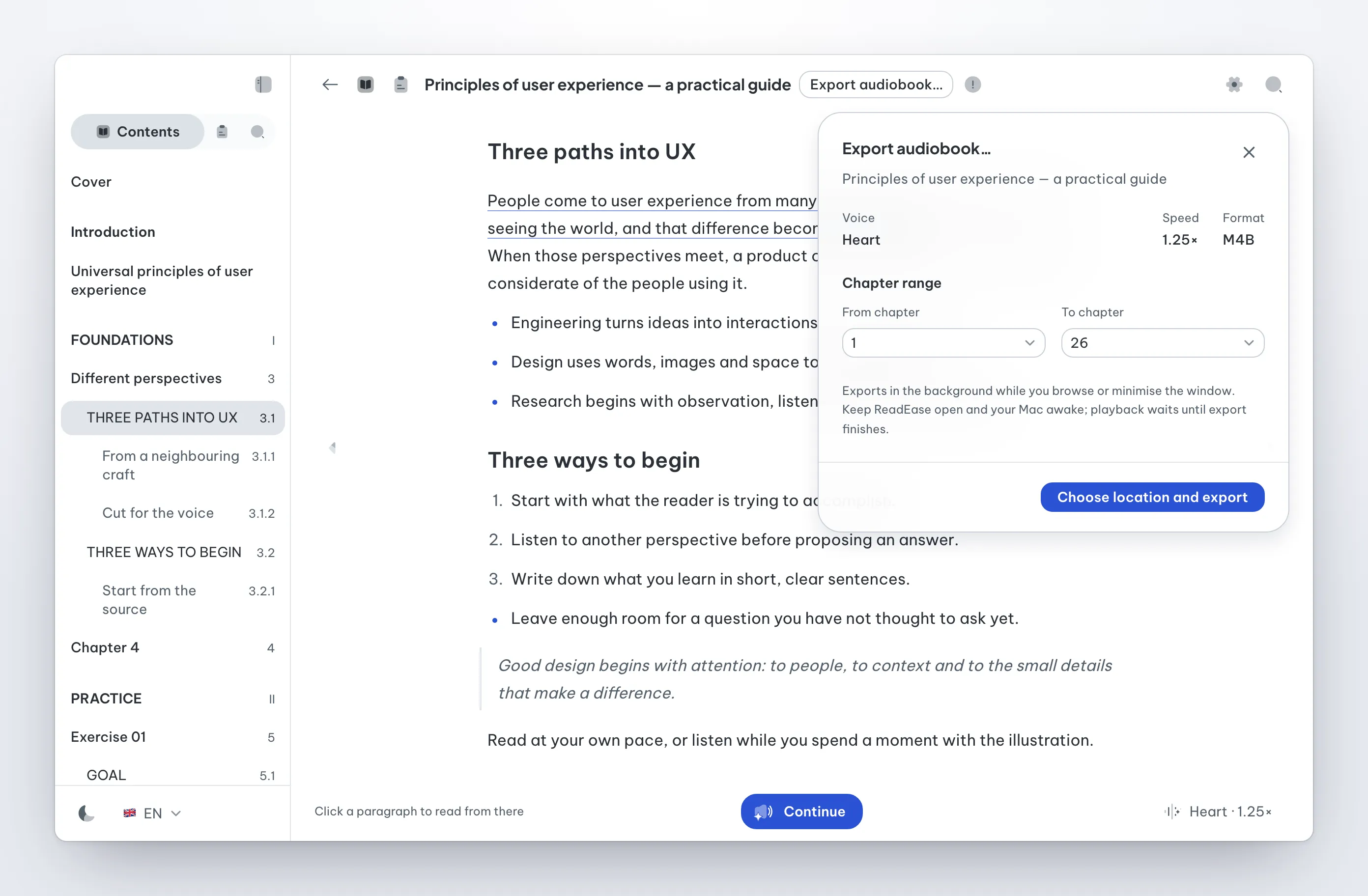
Save audio for later. Export a chapter range or a whole book as an M4B audiobook with chapter markers, using an on-device voice. You can browse documents while it runs; audio playback waits until the export finishes. Pasted text can be exported as WAV audio with SRT subtitles.
-
Control playback from another app. A floating controller and menu-bar controls let you pause, resume or stop selection playback without opening the main ReadEase window.
The current scope has clear limits: ReadEase does not perform OCR on scanned PDFs or open DRM-protected books. It is available for Apple Silicon Macs; Intel Macs, Windows and iOS are not supported.
The technology behind it
ReadEase has two parts. The app shell is written with Tauri (Rust) and a React interface; it owns the window, the audio queue, the floating controller, the menu bar and reading the selected text through macOS Accessibility. The core is a Python engine packaged inside the app: it imports and segments documents, keeps the library and progress in SQLite, prepares sentences for the voice and synthesizes speech.
-
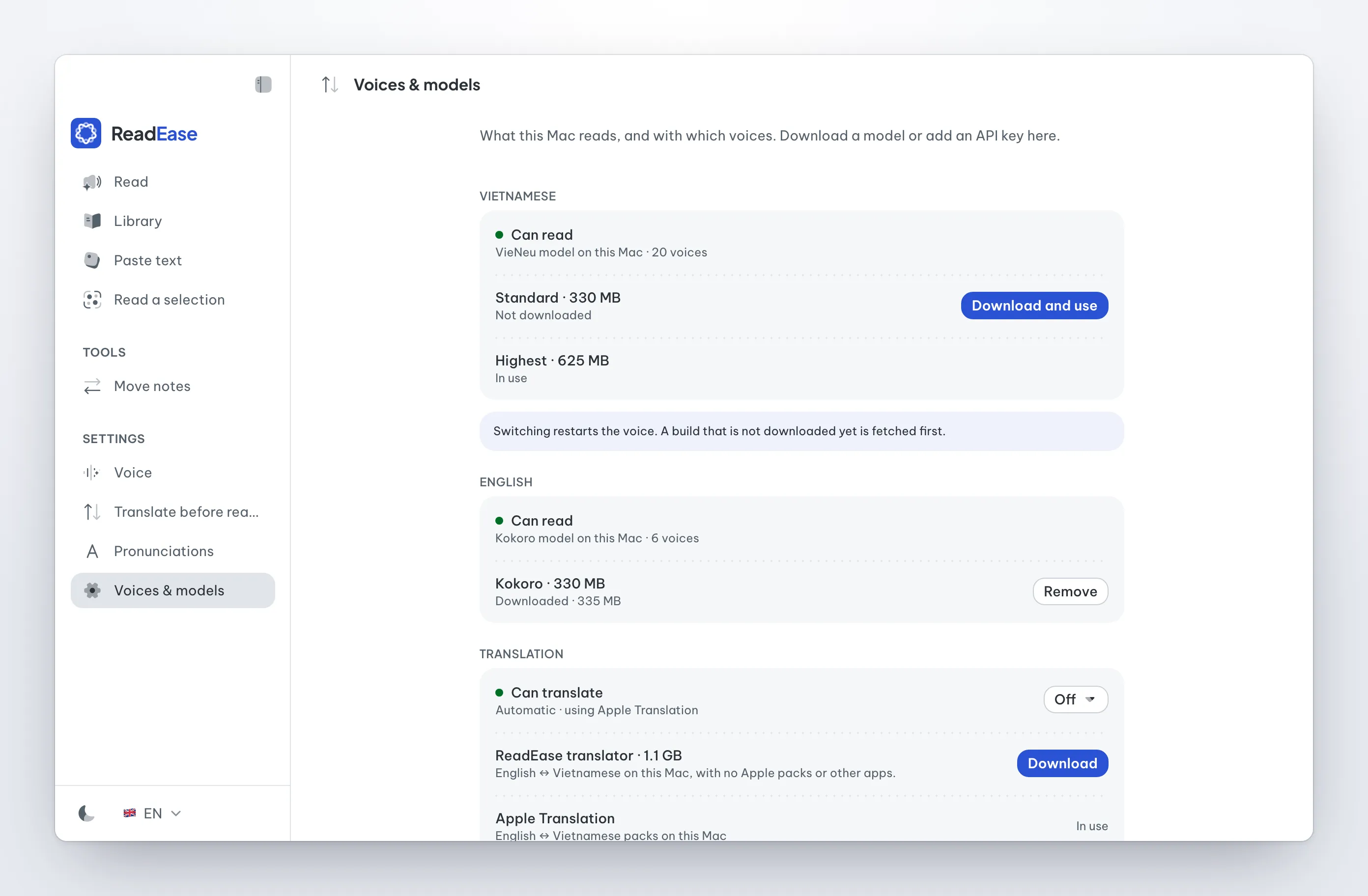
On-device voices. VieNeu-TTS reads Vietnamese, with downloads of about 330 MB or 625 MB; Kokoro-82M reads English. Models download only when you choose them and release their memory after five idle minutes. OpenAI and ElevenLabs voices use your own API key, which is never displayed again after entry. The estimated cost appears before playback.
-
On-device translation. ReadEase’s optional translator uses Hy-MT2 1.8B through a bundled llama.cpp server, with Metal acceleration and a connection restricted to your Mac. You can also use Apple Translation, or an Ollama or LM Studio instance running locally.
-
Audiobook encoding. A tool built into macOS encodes audio as AAC. The Python engine writes the M4B file structure and chapter track without an additional media library.
-
Document import. Python’s standard library handles TXT, Markdown, HTML and DOCX. DOC, RTF and ODT are converted with the
textutiltool included in macOS. -
Signed releases and updates. Releases are signed with an Apple Developer ID and notarized. Updates have their own signature and can download in the background. Installation follows your choice to relaunch or install when quitting.
Data and limits
Imported books, progress, notes, history and downloaded voices stay on the Mac. Only text read with an API voice is sent to the provider you choose.
-
The app needs an Apple Silicon Mac, macOS 15 or later and 8 GB of memory.
-
Reading text selected in another app needs the Accessibility permission the first time.
-
Scanned PDFs need OCR before import; password-protected PDFs and books with DRM are not supported yet.
-
API voices need your own key and follow the provider’s data policy and pricing.
Download ReadEase from its website or GitHub Releases, add a voice under Voices & models, then open a book or try Paste text.
The images and videos in this article were captured from the app’s own showcase mode, with sample documents in place of real books. In the sideways showcase, those captures sit in device frames and AI-generated scenes; the videos record real use inside the app, with the pointer drawn in during editing.
ReadEase landing page · ReadEase on GitHub · README · Privacy