Building a personal portfolio with AI
A step-by-step guide to tools, skills, Git/GitHub, prompts, project memory and publishing your website.
Contents
Follow these nine steps. Copy each prompt into Codex or Claude Code with your project folder open; AI handles the terminal work. Replace square-bracketed placeholders with your details and check each result before continuing.
01. Choose references, content and tools
Choose two or three reference websites, capture the specific sections you like and explain why: layout, typography, spacing, colour or interaction. Avoid sending only a URL with “make it like this”. For KhoaJAK, I used exactly two websites. Ricardo Chance (ricardochance.com) was the reference for generous space, a light layout rhythm and soft motion. Segerman (segerman.dev) was the reference for large, strong typography and concise content blocks. The chosen direction combined Ricardo Chance’s openness and motion with Segerman’s typographic weight and compact composition. These references set an aesthetic bar; KhoaJAK did not copy their layouts, components or content.
Here are my references [links/images] and content. I like [quality] in reference A and [quality] in reference B. Inspect them and state what you could and could not access; do not guess. Propose one combined direction for my portfolio: layout, typography, colour and interaction. Explain what to take inspiration from and what to leave out. Do not code yet; give me a short proposal to approve first.These are five real milestones rather than reconstructed mockups. The sequence shows that AI did not jump directly to the final interface: each loop solved one decision observed on the running site and carried approved work into the next version.


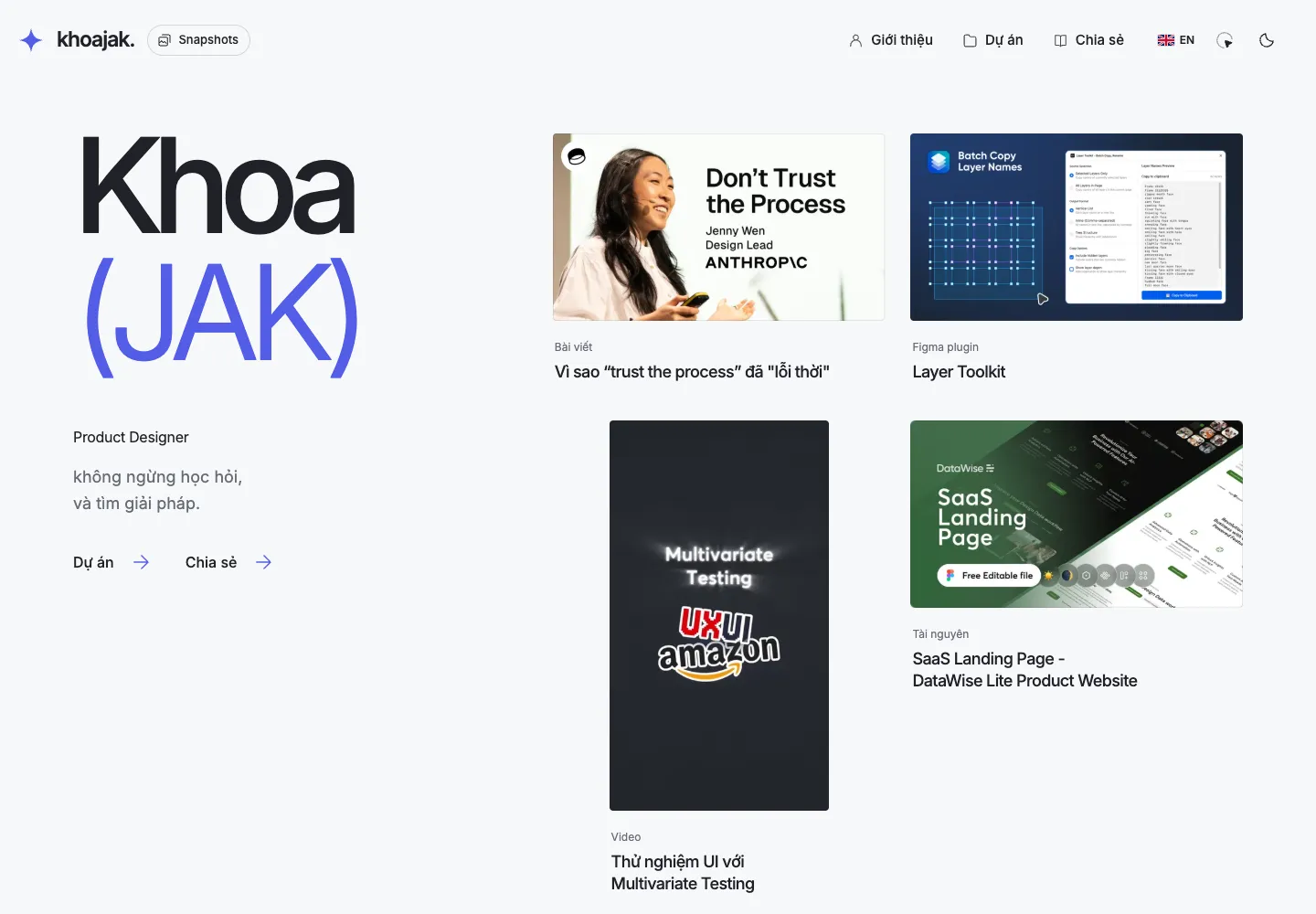
The lesson is not to copy the final interface. Let each version answer one clear question: is the structure right, is the identity distinct, does the content require a new layout, and does the interaction make discovery easier?
- Codex or Claude Code: choose a tool that can read and edit project files and run terminal commands. Skill prompts below use Codex syntax.
- Node.js and npm: run Astro and install packages; use an LTS release supported by Astro.
- Git and a GitHub account: Git records local versions; GitHub hosts the remote repository.
- Chrome: inspect the UI and let AI verify it in a browser.
- A folder with images, an introduction, three real projects and two reference websites.
Send this prompt so AI can check the tools on your computer. Complete any installation or sign-in steps it identifies for you.
I want to build a portfolio on [macOS/Windows]. Check whether Node.js, npm, Git and a browser are installed and whether the versions meet Astro requirements. For anything missing, give me the official installation link and explain the steps I need to perform. Then check again and report whether the environment is ready or what is still missing.02. Create the project, enable Git and push to GitHub
KhoaJAK ultimately used Astro, TypeScript and plain CSS, but the real opening prompt was much shorter. I stated the goal; AI inspected the folder, chose an implementation approach and ran the local version. A capable agent should handle those technical steps itself and ask only when a decision genuinely needs me.
Build me a personal portfolio website to introduce who I am, the projects I have made and the things I want to share. Work in this folder and run it locally so I can review it.Done when you can open the local URL supplied by AI. Next, send the version-control prompt below. Astro documentation for AI to check.
Confirm this folder is my Astro project. Initialise Git if needed. Ignore node_modules, dist, .astro and secret-bearing .env files; retain the lockfile and a secret-free .env.example. Run locally and give me the URL. Once the build passes, review the diff, commit project files, create a private GitHub repository named [my-portfolio] and push. Guide me through login if needed; do not ask for tokens in chat.Done when the local page opens, the commit appears on GitHub and no secret is committed. A local commit is not a push. Publishing a local repository to GitHub.
03. Install two skills with clear jobs
A skill is a set of instructions for AI, not a website dependency. For this guide, use frontend-design for UI work and playwright for browser interaction, screenshots and verification. Inspect the sources and install only the relevant skill folders, not whole repositories into your website.
- Anthropic frontend-design: use for layouts and interface details.
- OpenAI playwright: use to inspect the actual interface.
$skill-installer check existing skills. Install only missing skills from anthropics/skills at skills/frontend-design and openai/skills at skills/.curated/playwright. Do not overwrite installed skills. Then explain how to invoke each and identify any dependencies needed for Playwright to open a browser.Open a new session and ask AI to confirm both skills are available. Playwright may need a separate CLI and browser runtime; installing the skill alone does not prove the browser works. Ask it to open your local URL and capture one image before assigning QA. Skill installer.
04. Give the project a file-based memory
You do not need a memory database. Start with the five files below and commit them with the code. They only work if AI reads them before working and updates them after each milestone.
- AGENTS.md: goals, boundaries, required reading, checks and commit/deploy rules.
- README.md: installation, local development, build and folder structure.
- docs/design.md: colours, typography, spacing, components and chosen references.
- docs/decisions.md: dated decisions, reasons and what must not change silently.
- docs/progress.md: completed work, open work, known issues, evidence and the next step.
Create these five concise files from the current source. AGENTS.md must require reading README, decisions and progress before edits, preserving uncommitted work, never inventing content, checking the running UI, and pushing/deploying only when requested. Update decisions and next steps after each milestone without dumping the whole chat. For Claude Code, add CLAUDE.md pointing to the same documents rather than duplicating the rules.In KhoaJAK, docs/design/direction.md records design decisions, while the journal keeps requests, decisions, verification and screenshots for each milestone. When an AI session failed, the next session read the source and journal to resume. Git stores code versions; snapshots preserve source and a build for reopening earlier UI. They serve complementary purposes.
Part of KhoaJAK’s context routing in AGENTS.md was informed by an internal AI portal at a former workplace: each task states what is self-contained and when more source is required. The routing is only a way in, not a replacement for the project’s five source files.
05. Build the UI in three passes
Use the reference direction agreed in step 1 and recorded in docs/design.md in step 4. Use frontend-design for UI work. Run these three prompts in order, inspect the working page and give feedback after each pass. Do not request a complete rebuild for one detail that needs fixing.
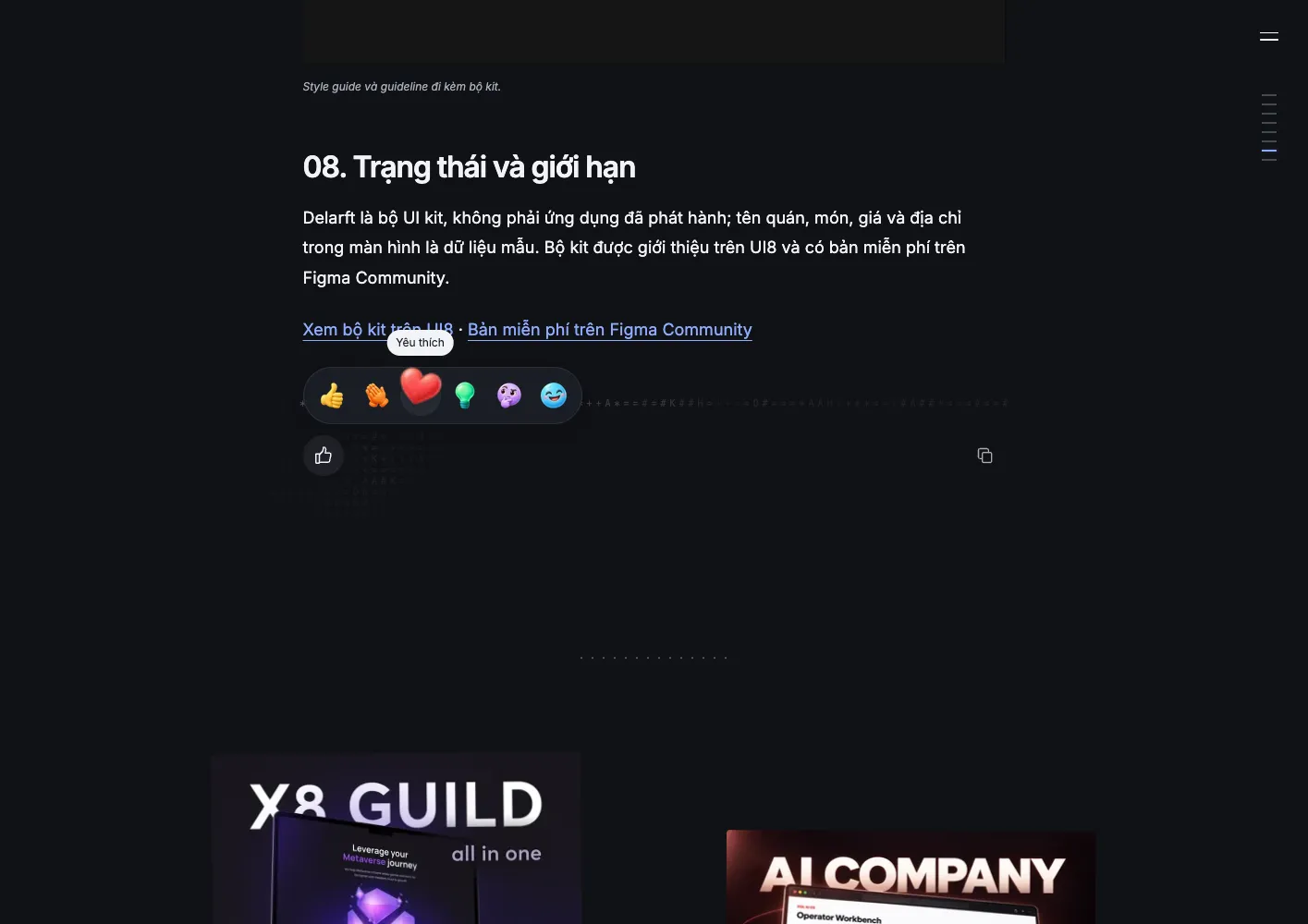
Pass 1 - Structure: Use frontend-design to build a homepage, project list and one detail page from my content. References: [links/images]; retain [large type/space/colour]. Prioritise hierarchy and mobile, with no animation yet. Share header, card and footer components. Run it locally for review.Pass 2 - Detail: Preserve the approved structure. Refine typography, spacing, colours and hover/focus states using docs/design.md. Check homepage and detail page on desktop and mobile. Do not invent sections or content.Pass 3 - Motion: Add subtle motion to [specific component]. Prefer CSS transform/opacity without layout shifts. Support reduced motion and touch. Check rapid hover entry/exit and navigation away and back. Add a library only when CSS is insufficient and explain why.In the current version, keep the approved [parts]. On [page/component], the problem is [description and screenshot]; I want [specific result], informed by [reference detail if relevant]. Inspect the running version, change only this scope and preserve approved work. Compare before and after on desktop and mobile, then record the decision and unfinished work. Do not add other features or deploy yet.A real iteration: reactions initially displayed six icons, then became a single Like button with a hover picker. Counts were merged into that control. When transitions caused icons and counts to overlap, screenshot feedback led to a staged reveal: hide the compact summary first, then reveal the six icons and counts. Each pass addressed one observed issue in the running UI.
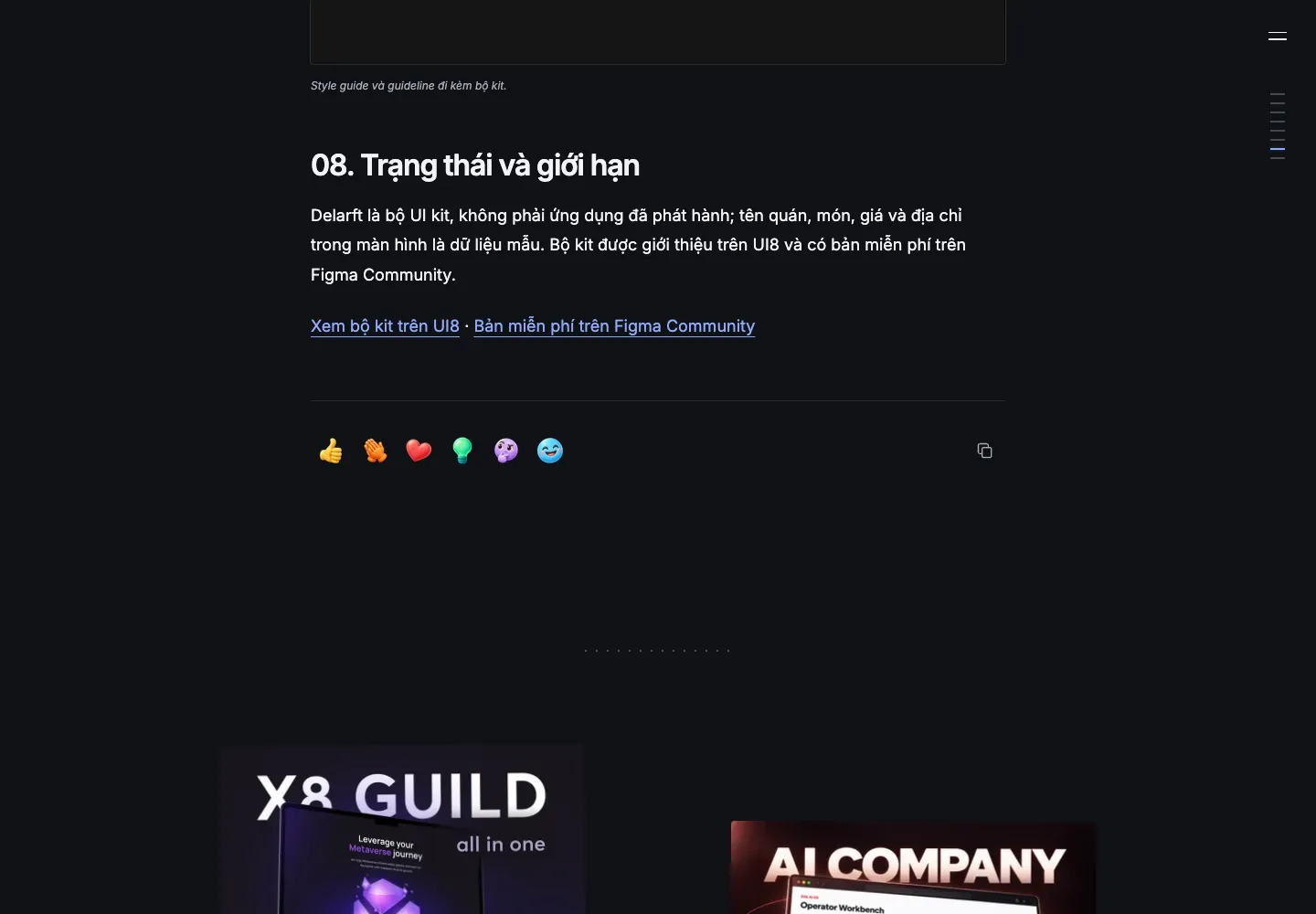
Start with Astro for pages and content, TypeScript for type checks, CSS for layout/motion and Playwright for QA. Add Lenis only when smooth scrolling is needed; a portfolio does not automatically require React, GSAP or a backend. This is a suggested starting stack, not a universal checklist. Lenis, Playwright.
06. Put content in an editable structure
Keep articles in content collections rather than embedding all copy in components. Add a CMS, accounts or a database only for a concrete need. In KhoaJAK, a CMS followed recurring editorial work.
Create project/article schemas with stable IDs, slugs, titles, summaries, covers and topics. Import from [folder/source] without inventing metrics. Share topics between archive filters and article tags. Document the owning files and editing workflow in README. If VI/EN are needed, preserve independent content without silently borrowing a missing language.In KhoaJAK, article tags and filters began sharing topicIds on 11 September. The CMS work on 19 September kept one stable ID and shared structure per article, with independent VI/EN content. Editing then evolved from source fields to a Grid/List library and a continuous visual article editor. Actual editing needs determined what to build next.
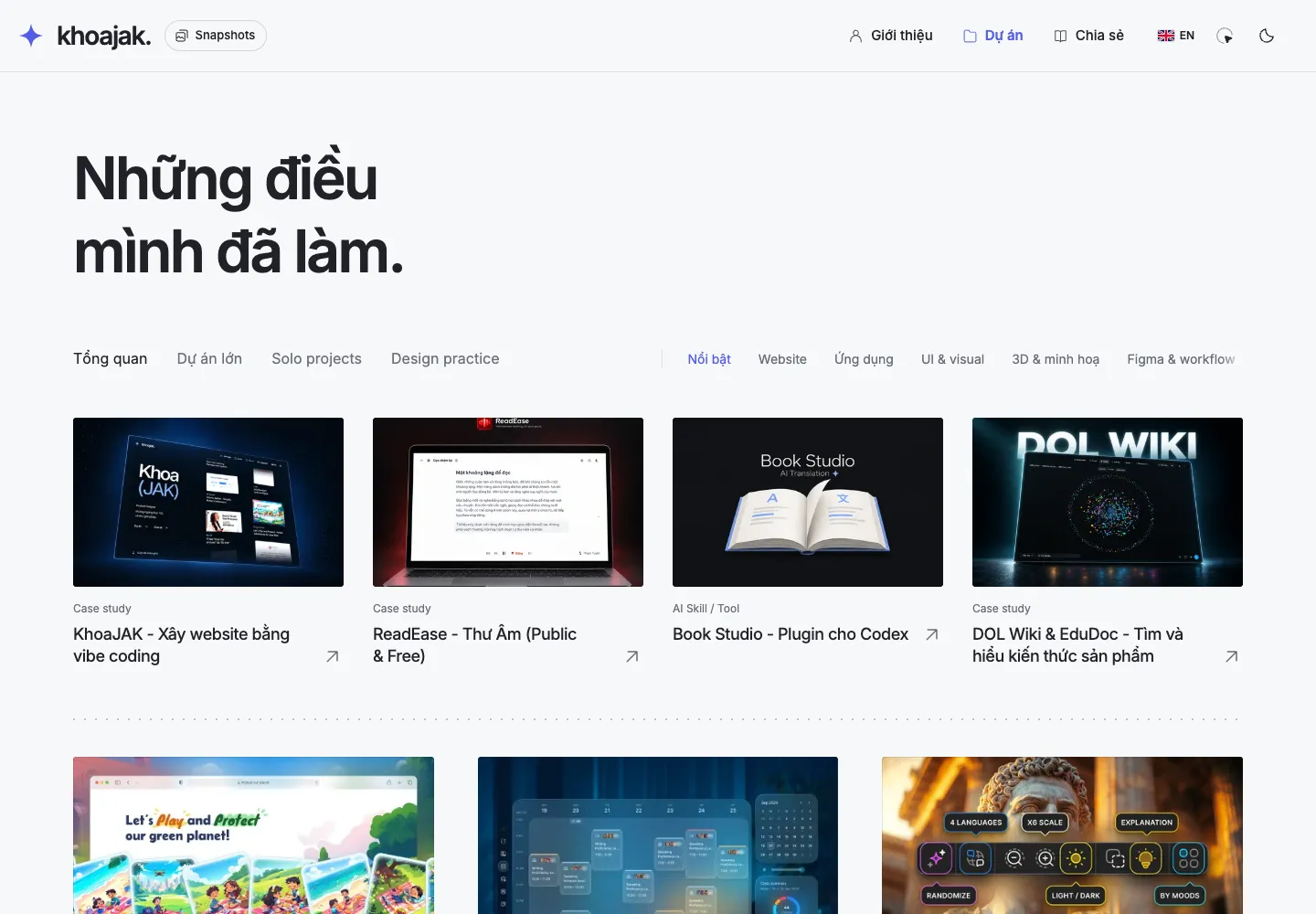
07. Verify and save each working version
Ask AI to create npm run verify from commands actually configured in your project: checks, build and relevant tests. Astro type checking may require @astrojs/check and TypeScript; merely naming a verify script does not create it.
Use playwright to check homepage, archive and detail pages at 1440px and 390px. Exercise menus, links, filters, keyboard and Back; check broken images, overflow and console errors. Capture failures, fix the cause and retest. Run npm run verify. Report untested areas; do not deploy.Once you have reviewed and accepted a milestone, send a separate version-saving prompt. For a regression, compare the diff with the last good commit rather than deleting the folder or resetting the entire repository.
Save this milestone: inspect git status and diff, update progress, stage only this task’s files, commit with a clear description and push to the agreed repository. Preserve unrelated work. Return the branch, commit and confirmation that the remote contains it. Do not deploy.08. Publish the website
For a static Astro site, Cloudflare Pages Direct Upload is one option: build produces dist and Wrangler uploads it. Use this when GitHub stores code and deployment should remain a separate action. Authenticate through official tooling; keep tokens out of the repository. Astro on Cloudflare Pages.
I approve publishing this portfolio to Cloudflare Pages project [project-name]. Confirm the account/project and run verification plus the production build. Deploy that exact artifact, then check public pages, images, links and mobile. Record the URL, deployment ID, source commit, checks and previous-deployment recovery steps in docs/progress.md. Do not change DNS without my request.Done when the public URL opens in another browser and core interactions work. A successful build or upload is not enough. If you choose Git integration instead, pushing to the production branch can trigger deployment automatically.
In KhoaJAK, working local reactions did not yet prove that visitor reactions persisted on the public website. Cloudflare D1 storage and checks on the real domain came later. The CMS likewise progressed from local save and preview to release preparation, change review, confirmation and online verification. One upload completed but its verification was interrupted by a network error; recovery checked the known deployment rather than uploading again.
09. Resume in a new AI session
Continue this project. Read AGENTS.md, README.md, docs/design.md, docs/decisions.md and docs/progress.md. Check the branch, git status and current source before drawing conclusions. Summarise completed work, open work and the next step; preserve uncommitted changes. Then work on [specific objective]. Do not silently change settled decisions or deploy.Git keeps versions, GitHub keeps the remote copy, documents preserve decisions and skills guide particular jobs. Continuing the website no longer depends on AI remembering the entire conversation.
KhoaJAK evolved through these loops: references and a minimal direction first, then layout, navigation, themes and ASCII effects; real projects and articles, filters and Snapshots followed; the reading experience gained a table of contents, reactions, link copying and image mode. A CMS and publishing flow were added when self-service content editing became necessary. The current version came from repeated cycles of inspecting the running site, identifying a problem, making a scoped change, verifying it and saving a milestone. It was not produced by one all-purpose prompt. Repeat steps 5-8 as new needs arise.
Explore the KhoaJAK interface . Tool and skill sources were checked on 22 September 2026; prompts are reusable suggested templates.